Step 1: Build the input file
The bulk session accepts a plain-text file (.txt), one record per line, fields separated by semicolons, no header row:
| Column | Content | Rules |
|---|---|---|
| 1 | TIN type | 1 = EIN, 2 = SSN, 3 = unknown. Use 1 or 2 when you know it; 3 returns a less specific code. |
| 2 | TIN | Nine digits, no hyphens or spaces. Watch for leading zeros stripped by Excel. |
| 3 | Name | Last name or business name, up to 40 characters; letters, numbers, spaces, hyphens and ampersands only (no apostrophes, commas or periods). |
| 4 | Account number (optional) | Anything you want carried through to the results, such as your vendor ID, so you can match rows back. |
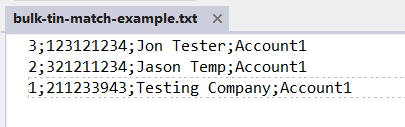
Files of up to 100,000 records are accepted. Larger vendor files are split; keep the account column so the pieces reconcile.
Step 2: Check the file before you submit
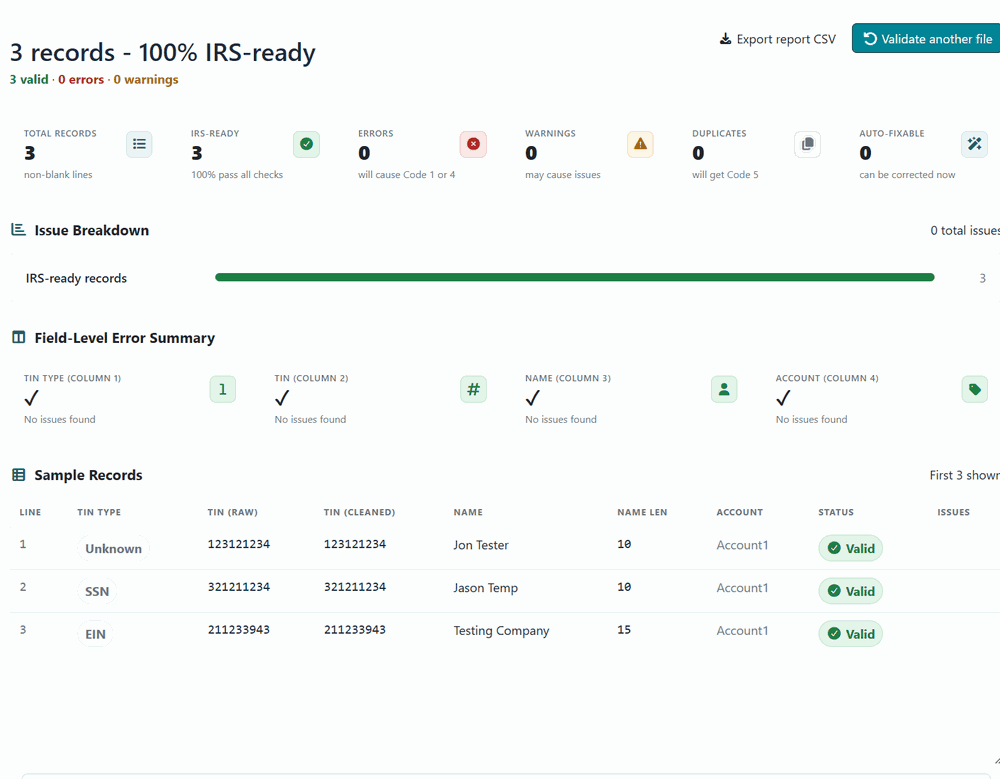
Most bulk problems are format problems, and the IRS reports them as code 1 (TIN missing or not nine digits) or code 4 (invalid request) after the 24-hour wait, one record at a time. It is worth validating the file first. TIN Comply, which publishes this site, offers a free, browser-only IRS bulk TIN file validator that checks delimiters, TIN length and characters, name characters and length, TIN types and duplicates, and can write out a corrected file. Nothing is uploaded; the check runs in the page.
Step 3: Upload the file
Step 4: The tracking number and the email
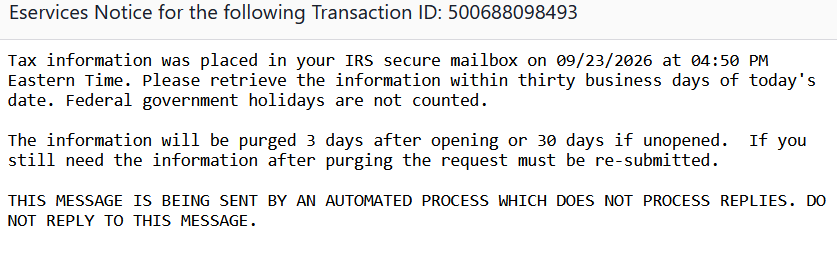
Step 5: Retrieve the results from the secure mailbox
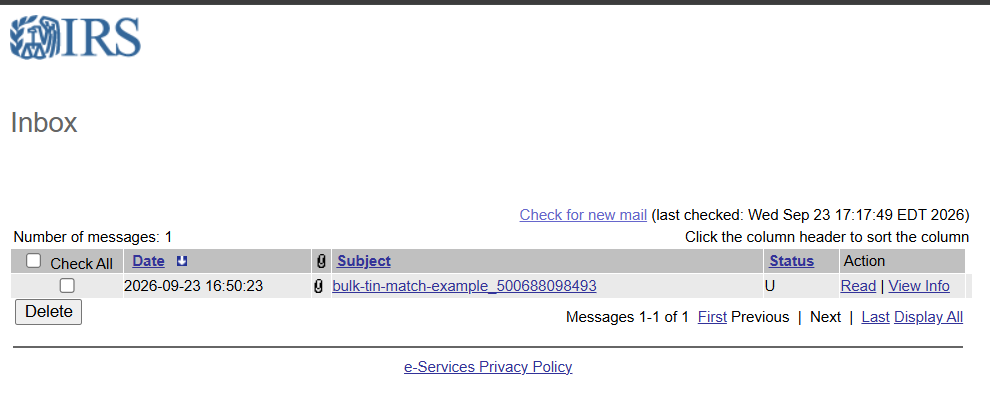
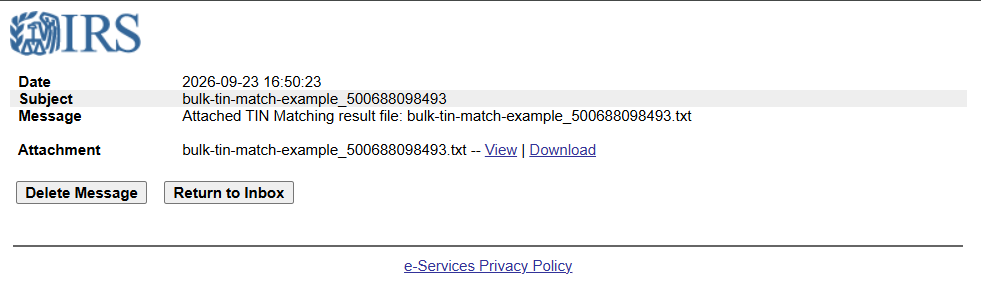
Step 6: Read the results file
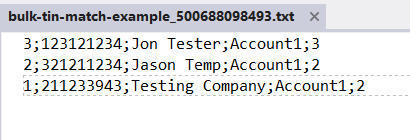
The codes are the same nine used by the interactive session: 0, 6, 7 and 8 are matches; 1 and 4 are format problems in your file; 2 and 3 are payee problems that need a corrected W-9; 5 is a duplicate. The TIN matching guide explains each one and the usual cause.
Step 7: Turn the codes into a work list
A results file for a real vendor base has thousands of lines, and the useful questions are the aggregate ones: what share matched, how many need a W-9 request, how many are file-format fixes you can make yourself, and which vendors to contact first. TIN Comply's free IRS bulk TIN results analyzer reads the results file in the browser and produces that summary, with the per-vendor list exportable to CSV for the AP team.
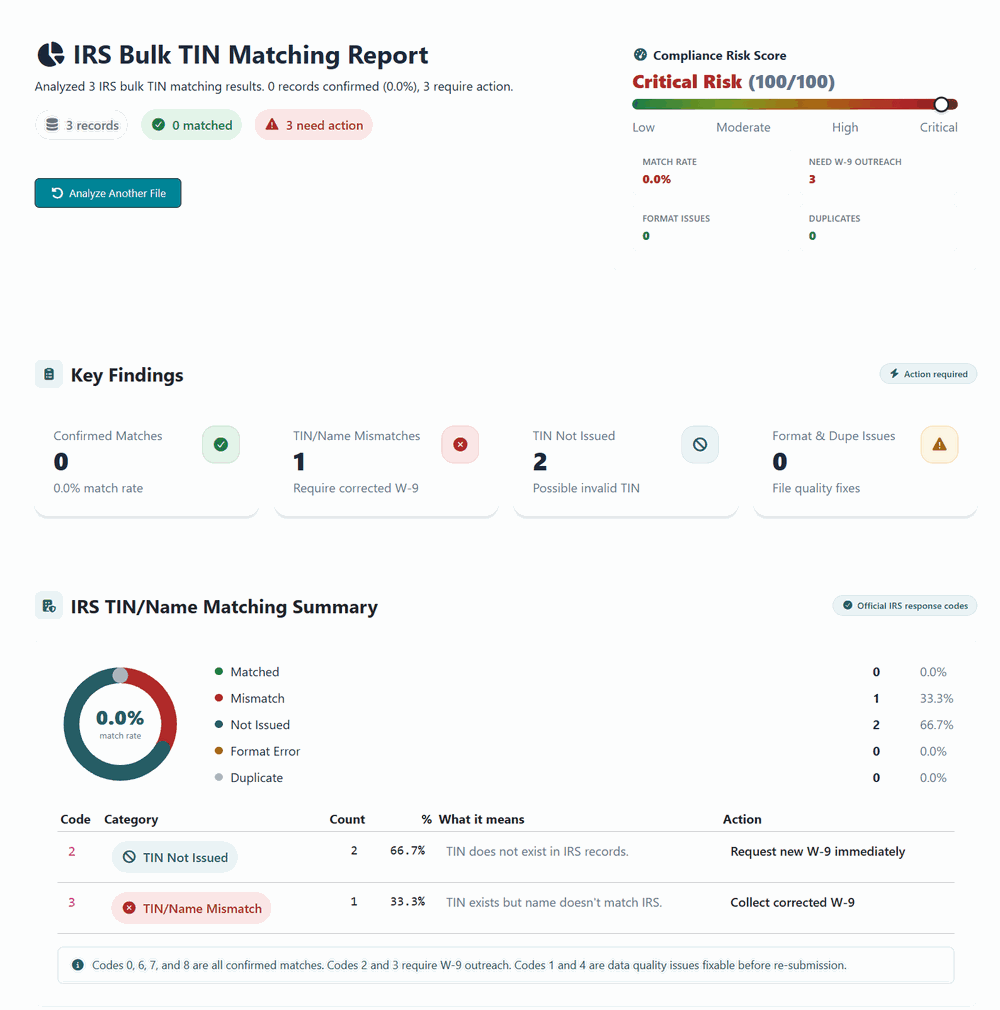
From here the process is the one in the solicitation guide: send the W-9 request, log the date, re-match when the corrected form arrives, and file with the pair that returned 0.
Questions people ask
How long do bulk results really take?
The IRS commits to 24 hours. In practice files submitted during the business day often come back the same afternoon; files submitted late on Friday can wait until Monday.
Can I submit a CSV?
No. The file must be .txt with semicolon delimiters and no header row. A CSV renamed to .txt still fails on the commas.
Why did a correct vendor come back code 3?
Usually the name: a sole proprietor's business name where the person's name belongs, a trade name instead of the legal name, or a single-member LLC using the owner's SSN under the LLC name. See which name goes on the W-9.
Do I need the bulk session if I use a service?
Services such as TIN Comply run the same IRS match through their own access and return results in seconds with the explanation attached, so most of their customers never open e-Services. The bulk session is the right tool for a payer that already has access and matches once or twice a year.