What it checks
The IRS publishes a formatting guideline for each template: one row per column, saying whether the field is required, how long it may be, which characters it accepts, and what format it takes. This checker holds those guidelines for all 37 tax year 2025 templates and tests your file against the one for its form. For every row it reports:
- Required fields that are empty, including the conditional ones: a business name line when Name Type is B, first and last name when it is I, a TIN type when a TIN is entered, and State 1 when any State 1 field is filled.
- Lengths and characters. Business names (40 characters; letters, digits, space, hyphen, pound, parentheses, ampersand, apostrophe), personal names (20; letters, space, hyphen), address lines (35; letters, digits, hyphen, slash, space), city (40; letters and spaces), state and payer state numbers (24 alphanumeric), account numbers (20), special data entries (60). A period in "Inc." or a comma in an address is a rejection.
- TINs by type. EIN and QI-EIN as XX-XXXXXXX; SSN, ITIN and ATIN as XXX-XX-XXXX; UND as nine digits; the TIN type must be one of the values the form allows.
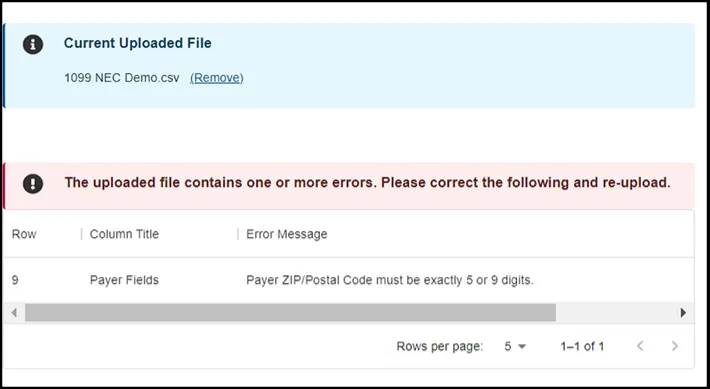
- ZIP and state. Domestic ZIP exactly 5, 9 or 12 digits with no dash; a two-letter state; foreign postal codes up to nine alphanumerics; a country code.
- Amounts. Non-negative, digits with at most one decimal point and two decimals, no currency symbols or thousands separators, no scientific notation, and never 0 or 0.00 (leave the cell empty).
- Codes. Y or N in checkbox fields, the listed values in code fields (name type, phone type, bond type, distribution codes and so on), MM/DD/YYYY dates, four-digit office codes, phone number formats.
- CF/SF and state sections. The CF/SF list as quoted, comma-separated two-letter codes with no duplicates; State 1 and State 2 sections complete when used.
- File rules. No more than 250 records, one form type, one tax year, and the same number of fields in every row as in the header.
Column matching is by the template headings; a file with renamed or reordered columns is matched by name where it can be and reported where it cannot. Passing means the file is formatted the way the portal expects. It does not tell you whether the payee names and TINs match IRS records; that is what TIN Matching does. The portal walkthrough covers the upload and submit steps.
What it does not do
- It does not validate box amounts against the form instructions, or cross-box rules the guideline does not state (which boxes must be filled together is in the form instructions).
- It does not check names and TINs against IRS records.
- It does not check the country or state code against the IRS code lists beyond their shape.